Monitor Registry
Monitor Registry detects and records the changes in the registry.
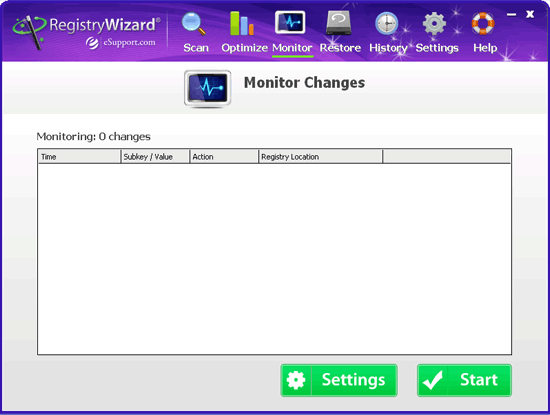
Perform the following steps to add an item to be monitored:
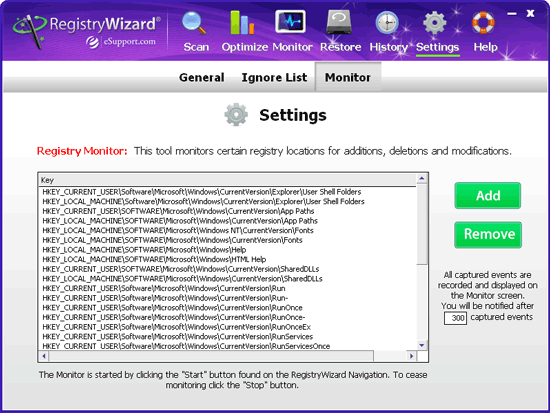
- Click on the Settings icon and then the Monitor tab.
- Click the Add button.
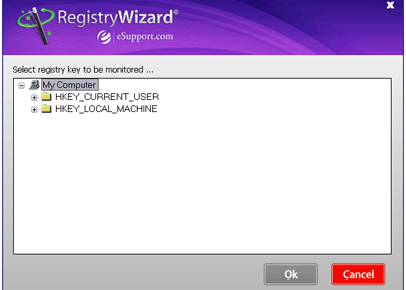
- Select the registry key to be monitored, and then click the OK button.
Perform the following steps to remove an item to be monitored.
- Click on the Settings icon and then the Monitor tab.
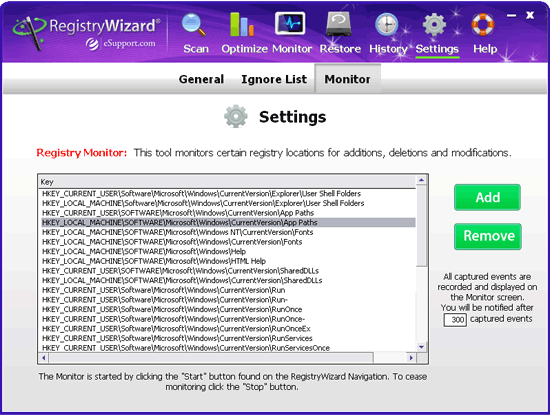
- In the Key list, scroll down the item you want to remove from the list and select it.
- Click the Remove button.
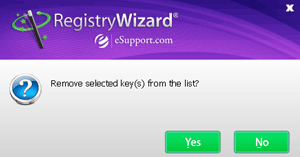
- Click the Yes button.
Complete the following steps to change the number of captured events recorded and displayed on the Monitor Screen.
- Click on the Settings icon and then the Monitor tab.
- Enter the number of events in the captured events box.
- Click the Save button.


